Overview
ixtable is a desktop app that stores a small business application as one portable .ixt file.
You design the application in Studio and run it in the Runtime. Both are part of the same desktop app on Windows, macOS, and Linux, and neither needs an account. The .ixt file holds the tables, records, queries, forms, reports, dashboards, actions, and assets together.
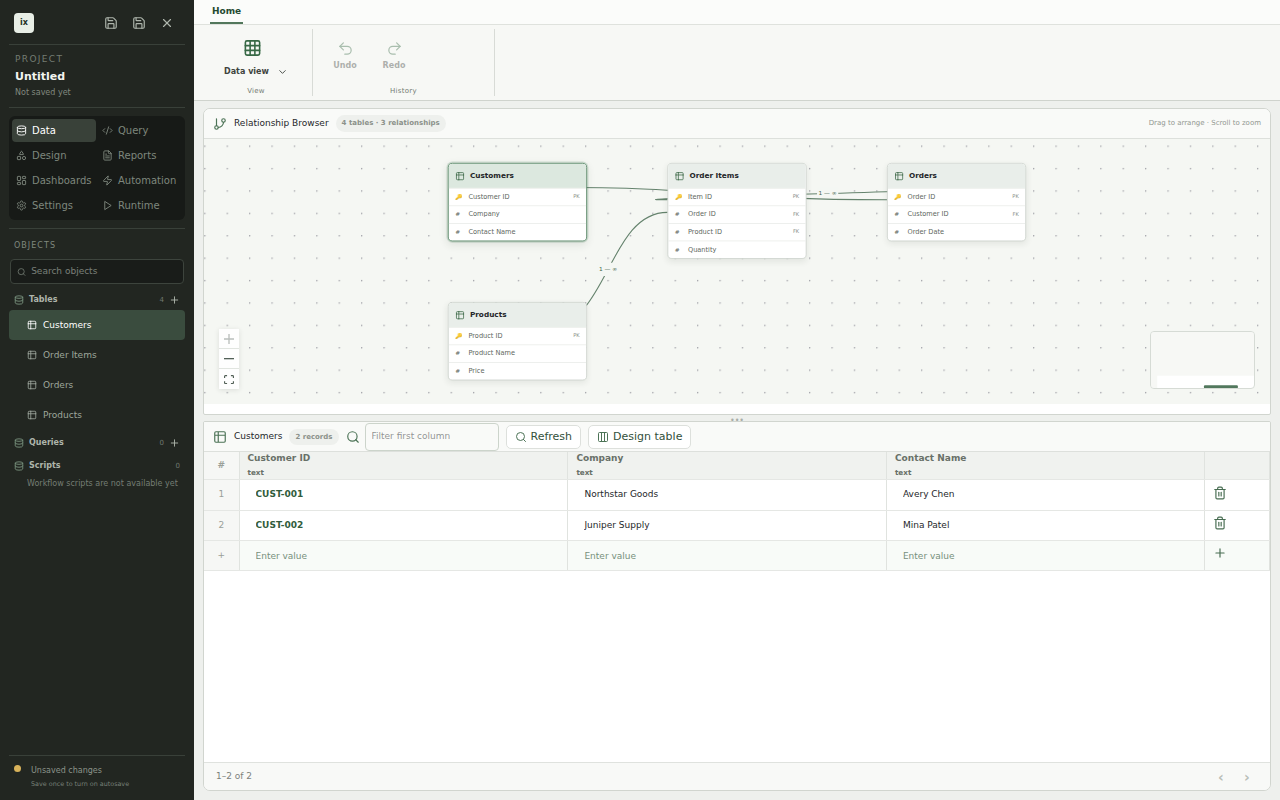
This screenshot is generated from the real ixtable app by the repository's screenshot test.
The project file
An .ixt file is a SQLite database with a fixed set of archive tables. While a project is open, ixtable works on an extracted copy and saves it back into the file. Saves write a new file beside the old one, check it, and then replace the old one. A crash or a full disk leaves the last good save in place.
ixtable autosaves a titled project a moment after each change. The save status shows when the project has unsaved changes, is saving, is saved, or failed to save. After a crash, the start screen offers to recover the unsaved work.
Modes
Studio groups its tools into modes. Switch modes with the mode buttons in the sidebar.
| Mode | Use it for |
|---|---|
| Data | Create tables, design columns and relationships, and edit records in a grid |
| Query | Write SQL or build a query visually, add parameters, and save it |
| Design | Build forms on a resizable grid with validation and computed fields |
| Reports | Lay out printable reports with groups and totals, then print or save a PDF |
| Dashboards | Arrange charts, numbers, forms, and reports on the same grid that forms use |
| Automation | Define actions and record triggers, and watch background jobs |
| Settings | Manage assets, the datasource, roles, migrations, releases, and logs |
| Runtime | Run the application the way its users will see it |
Where records live
Records live in an embedded SQLite database inside the project file, or in a PostgreSQL database you connect in Settings. ixtable writes each change straight to that database. Every list, form, query, report, and dashboard then reads through DuckDB, so a change is visible to the next read. PostgreSQL hosting and backups stay your responsibility.
Sharing an application
You can share an application two ways. Send the .ixt file to give someone an editable copy. Export a runtime-only bundle from Settings to give someone an application they can run but not edit. Deployment and Runtime bundles cover bundles.
Generated screenshots
The images in these docs come from scripts/screenshot/specs/app-shell.spec.tsx. The test renders the app, performs user actions, and captures the resulting app state with Playwright.
Regenerate the documentation images from the repository root:
npm run screenshot
The command tests the captured states before it copies selected images beside the documentation in web/docs/assets. Docusaurus fingerprints these relative assets when it builds the site.